-

Setting up a home office -

Setting up a home office

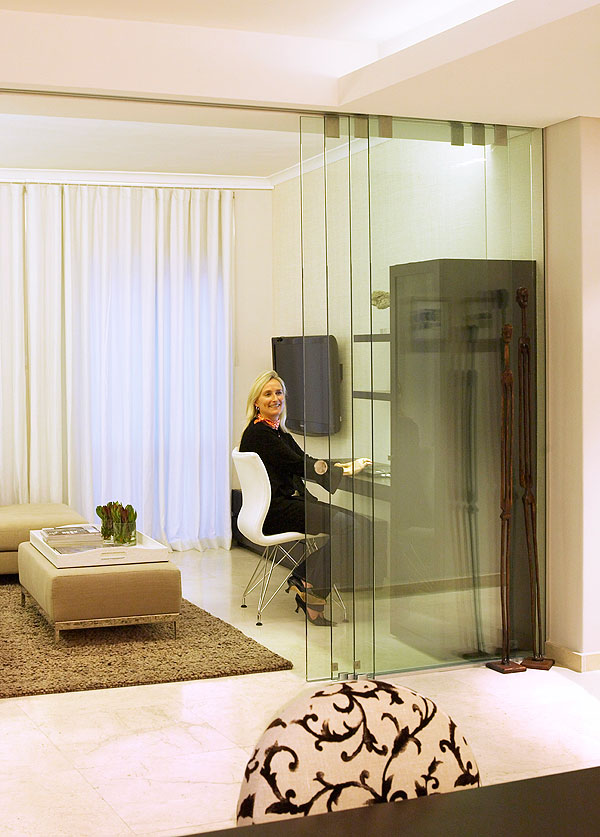
The founder and head designer of trendy office solutions company Ergoform, Leon Roodt, shares practical tips on setting up the perfect home office.
Space and colour planning
• PLAN The most common mistake is to overestimate the size of the work station a room can accommodate. Avoid this pitfall by first drawing a scaled down plan of the room indicating where the desk will be placed (or measure the area).
• BOX If using a desktop computer rather than a laptop, save space by incorporating a hard-drive box holder under the desk.
• AIR & LIGHT Adequate ventilation and lots of natural light are important but take care to avoid glare on the computer screen.
• COLOUR Do not choose shades that will be hard on the eyes. For example strong or contrasting colours for desktops and divider screens force the eyes to adapt to tonal differences throughout the day, which can be tiring. Light colours work well as they are often close in tone to most computer screen wallpapers.
Desk & chair
• DESK POSITION You should be able to face the computer without turning your head. Although the ideal desk position is often against a wall, this can be boring if you face a blank wall, files or shelves.
• LEG-ROOM When buying a desk “off the floor”, it may look great but make sure it offers sufficient leg-room. Certain units do not allow one to sit with the computer in the correct position.
• DIMENSIONS The ideal desk is between 720 and 740mm high. Allow for a work surface around 800mm in width. Length is dependent on the space available and the type of work to be done at the desk (an L-shaped desk works well in a corner).
• FREE SPACE There should be at least 1m of space behind the desk to accommodate a chair. If you are going to work for more than three hours a day be sure to buy a good “synchronised” chair that allows for independent adjustment of the back and seat.
Filing and storage
• DRAWERS A desk should always incorporate a set. A hanger-file drawer in a pedestal is handy for monthly paperwork to be filed away immediately.
• BOOKCASE A small bookcase, usually mounted on the wall, is convenient at home for cookbooks, holiday material or work files.
Wires, plugs and cables
• Make sure the desktop has enough cable outlet cavities as well as a dedicated place below where cables can be tied away. The desk should be close to a power outlet to avoid the need for extension leads. If space allows, a cupboard unit nearby could be used to conceal clutter. If a printer is required, either ensure that the desk is large enough for one or place it on a low cupboard.
Ergoform: 021 946 3222, www.ergoform.co.za